
Table of Contents
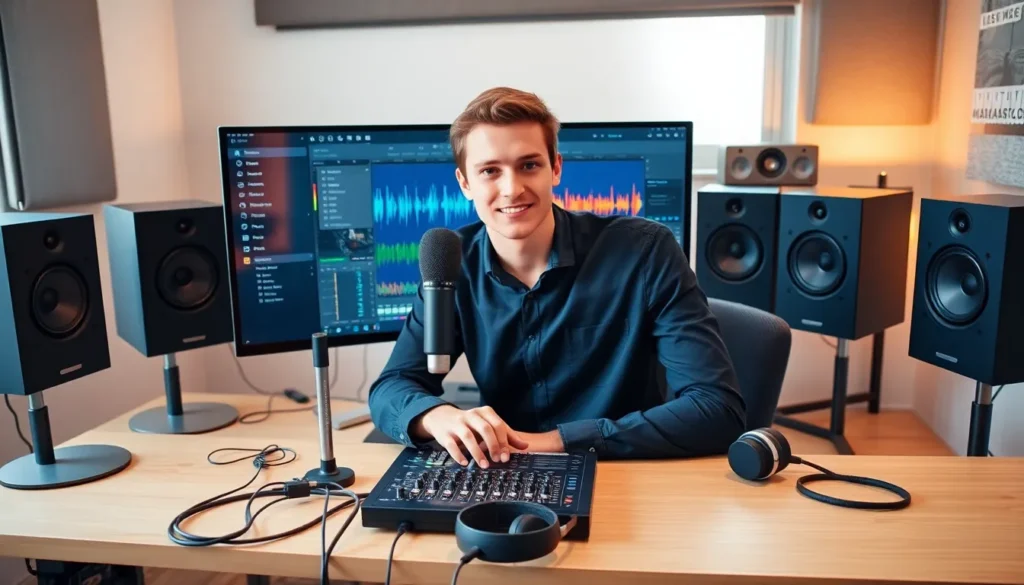
ToggleAudio technology shapes how people create, record, and experience sound. From podcasts to music production, this field offers creative and professional opportunities for anyone willing to learn. Getting started with audio technology requires understanding core concepts, acquiring the right equipment, and building practical skills.
This guide breaks down audio technology fundamentals for beginners. Readers will learn about essential gear, key skills to develop, and resources that accelerate learning. Whether someone wants to produce music, launch a podcast, or work in live sound, these foundations apply across the board.
Key Takeaways
- Audio technology encompasses the tools and techniques used to capture, process, and reproduce sound—including microphones, audio interfaces, and digital audio workstations (DAWs).
- Beginners can start with affordable gear like a USB condenser microphone and a basic audio interface such as the Focusrite Scarlett series.
- Understanding signal flow—from sound source to speakers—helps prevent common issues like feedback, noise, and poor audio quality.
- Core skills in audio technology include proper microphone placement, gain staging, mixing fundamentals (EQ, compression, panning), and critical listening.
- Free resources like GarageBand, Audacity, and YouTube tutorials make learning audio technology accessible without a large upfront investment.
- Hands-on practice through projects like recording podcasts, mixing multitrack stems, or joining audio communities accelerates skill development faster than passive learning.
Understanding Audio Technology Basics
Audio technology refers to the tools and techniques used to capture, process, and reproduce sound. This includes hardware like microphones and speakers, software like digital audio workstations (DAWs), and the principles that govern how sound behaves.
How Sound Works
Sound travels as waves through air. These waves have properties that determine what people hear:
- Frequency measures how fast a wave vibrates, expressed in Hertz (Hz). Higher frequencies sound like treble: lower frequencies sound like bass.
- Amplitude determines volume. Larger waves produce louder sounds.
- Waveform shapes the character or timbre of a sound. A guitar and piano playing the same note sound different because their waveforms differ.
Understanding these properties helps beginners make better decisions about recording and mixing.
Analog vs. Digital Audio
Analog audio technology captures sound as continuous electrical signals. Vinyl records and tape machines use analog methods. Digital audio technology converts sound into binary code, sequences of ones and zeros that computers process.
Most modern audio technology relies on digital systems. Digital audio offers easier editing, storage, and sharing. But, some producers prefer analog equipment for its distinctive warmth and character.
Signal Flow Basics
Signal flow describes the path audio takes from source to output. A typical signal flow moves like this:
- Sound source (voice, instrument)
- Microphone captures sound
- Audio interface converts analog signal to digital
- DAW records and processes the audio
- Interface converts digital back to analog
- Speakers or headphones reproduce the sound
Grasping signal flow prevents common problems like feedback loops, noise, and poor audio quality.
Essential Audio Equipment for Beginners
Starting with audio technology doesn’t require expensive gear. A few key pieces of equipment form the foundation for recording and production.
Microphones
Microphones convert sound waves into electrical signals. Two main types suit beginners:
- Dynamic microphones handle loud sources well and resist damage. The Shure SM58 remains an industry standard for vocals and live sound.
- Condenser microphones capture more detail and sensitivity. They work best for studio vocals and acoustic instruments.
Beginners often start with a USB condenser microphone like the Audio-Technica AT2020 USB. These connect directly to computers without additional gear.
Audio Interfaces
An audio interface connects microphones and instruments to a computer. It converts analog signals to digital and vice versa. Quality interfaces provide:
- Low latency (the delay between input and output)
- Clean preamps for microphone signals
- Multiple inputs for recording several sources
Popular beginner interfaces include the Focusrite Scarlett series and PreSonus AudioBox.
Headphones and Monitors
Accurate listening matters in audio technology. Closed-back headphones like the Audio-Technica ATH-M50x isolate sound for recording. Open-back headphones provide a more natural sound for mixing.
Studio monitors are speakers designed for accurate playback. Unlike consumer speakers that enhance bass or treble, monitors reveal what recordings actually sound like.
Digital Audio Workstations
A DAW is software for recording, editing, and mixing audio. Popular options include:
- GarageBand (free for Mac users)
- Audacity (free, cross-platform)
- Reaper (affordable, professional-grade)
- Ableton Live, Logic Pro, Pro Tools (industry standards)
Beginners should pick one DAW and learn it thoroughly before switching.
Key Skills to Develop in Audio Technology
Equipment matters, but skills determine results. Audio technology professionals develop these core competencies over time.
Recording Techniques
Good recordings start before pressing record. Key techniques include:
- Microphone placement: Moving a mic inches can dramatically change sound quality. Experiment with distance and angle.
- Gain staging: Setting proper input levels prevents distortion and noise. Aim for peaks around -12 to -6 dB.
- Room treatment: Acoustic panels, bass traps, and proper positioning reduce unwanted reflections.
Mixing Fundamentals
Mixing balances multiple audio tracks into a cohesive whole. Essential skills include:
- EQ (equalization): Cutting or boosting frequencies to clarify sounds and prevent muddiness.
- Compression: Controlling dynamic range so quiet parts are audible and loud parts don’t overwhelm.
- Panning: Placing sounds in the stereo field creates width and separation.
- Reverb and effects: Adding space and character to dry recordings.
Mixing takes years to master. Regular practice on different projects builds this skill.
Critical Listening
Training ears to identify frequencies, dynamics, and spatial characteristics improves all audio work. Practice by:
- Analyzing professional mixes in the same genre
- Using EQ training apps and games
- A/B comparing different processing choices
Problem Solving
Audio technology involves constant troubleshooting. Cables fail. Software crashes. Feedback happens. Developing patience and systematic problem-solving saves hours of frustration.
Learning Resources and Next Steps
Self-taught audio professionals abound, thanks to available learning resources. Here’s where beginners can accelerate their audio technology education.
Online Courses
Structured courses provide organized learning paths:
- Coursera offers courses from Berklee College of Music on music production and audio engineering.
- LinkedIn Learning covers DAW-specific training and audio fundamentals.
- YouTube hosts thousands of free tutorials. Channels like Produce Like A Pro, In The Mix, and Recording Revolution offer quality content.
Books and Documentation
Classic texts remain valuable:
- The Mixing Engineer’s Handbook by Bobby Owsinski
- Modern Recording Techniques by David Miles Huber
- DAW user manuals (surprisingly helpful, often ignored)
Practice Projects
Hands-on experience beats passive learning. Try these projects:
- Record a podcast episode
- Mix a song using multitrack stems (many are available free online)
- Record a band or solo artist
- Create sound effects for a short video
Community Involvement
Connecting with other audio enthusiasts accelerates growth. Join forums like Gearslutz (now Gearspace), Reddit’s r/audioengineering, or local audio production meetups. Collaboration teaches what solo practice cannot.


